


Download EZ Teleprompter – teleprompter, speech, video blog, podcast, script, cloud sync, no hardware, easy-to-use, presentation tool, mobile app
Overview
EZ Teleprompter is a mobile application designed to simplify the teleprompting process for professionals and beginners alike. Built with the goal of enhancing speech delivery, podcast recording, and video blog production, the app serves as a digital alternative to traditional teleprompting hardware. By enabling users to create, import, and manage scripts directly on their smartphones or tablets, EZ Teleprompter eliminates the need for expensive equipment. This makes it an ideal tool for content creators, public speakers, educators, and anyone who regularly delivers spoken content. The app’s core purpose is to support smooth, confident, and error-free delivery by offering real-time script display and intuitive controls. It is particularly valuable for users who work across multiple devices or environments and need consistent access to their scripts. The developer, Ape Apps, has positioned EZ Teleprompter as a productivity-focused utility within the Android ecosystem, emphasizing accessibility and ease of use. Real-world applications include live presentations, YouTube vlogs, remote interviews, and recorded tutorials. In a market where content creation is increasingly mobile, EZ Teleprompter fills a niche by combining functionality with portability. The app’s ability to sync scripts via the cloud further enhances its utility for users who collaborate or work on the go. Although the developer did not provide additional technical details, the app’s focus on user experience suggests a commitment to reliability and performance.
Key Features & Functionality
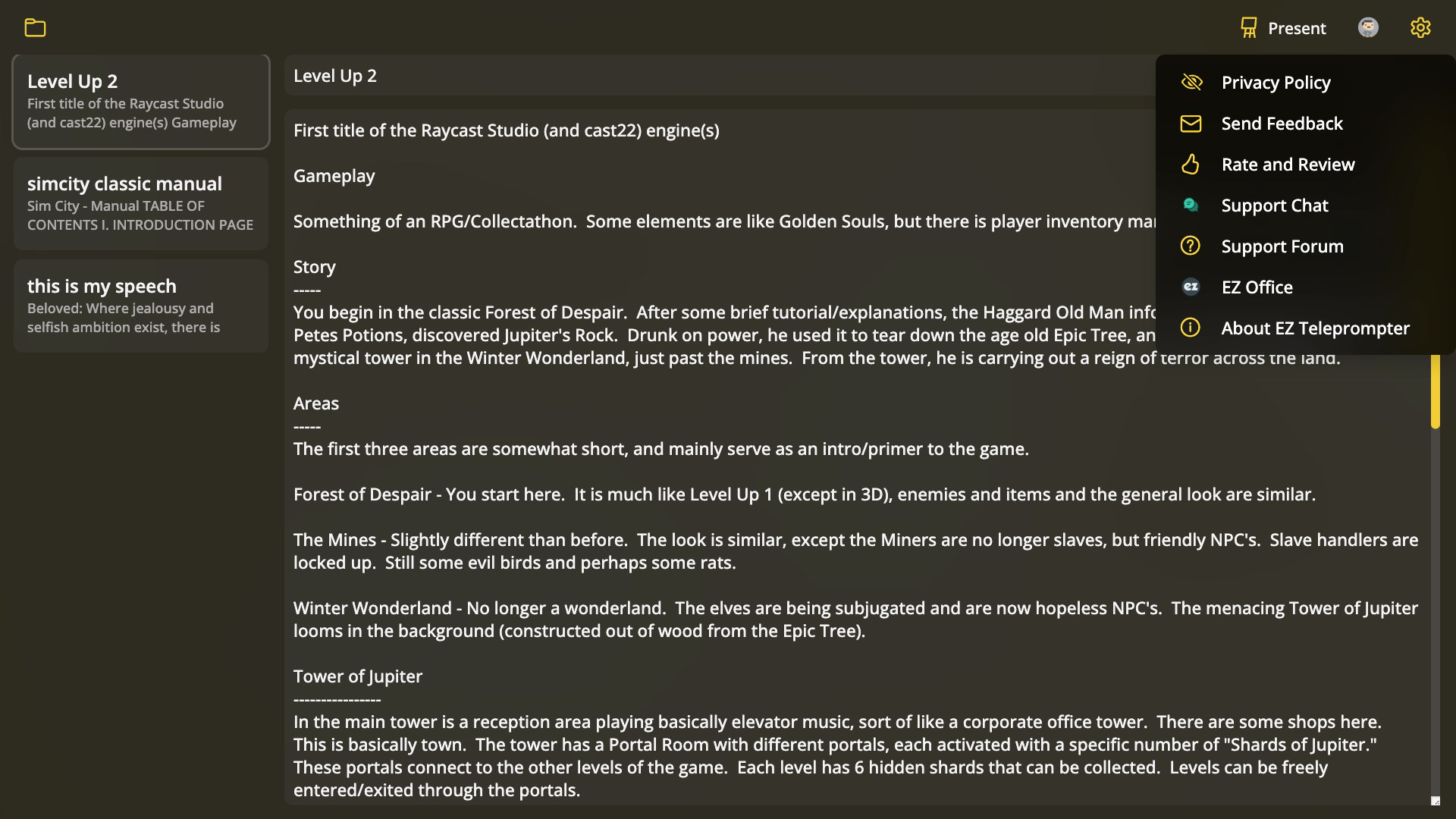
- Script Creation & Import: Users can write new scripts directly in the app or import existing ones from plain text files. This flexibility supports both spontaneous content creation and reuse of previously written material, ideal for recurring presentations or regular podcast episodes.
- No Extra Hardware Needed: The app operates entirely on the device, removing the dependency on external teleprompting screens or specialized gear. This makes it a cost-effective and portable solution for users who prioritize mobility and simplicity.
- Cloud Syncing Capability: With an Ape Apps account, users can sync their scripts across devices. This ensures continuity when switching between a phone, tablet, or computer, and protects against data loss during device changes.
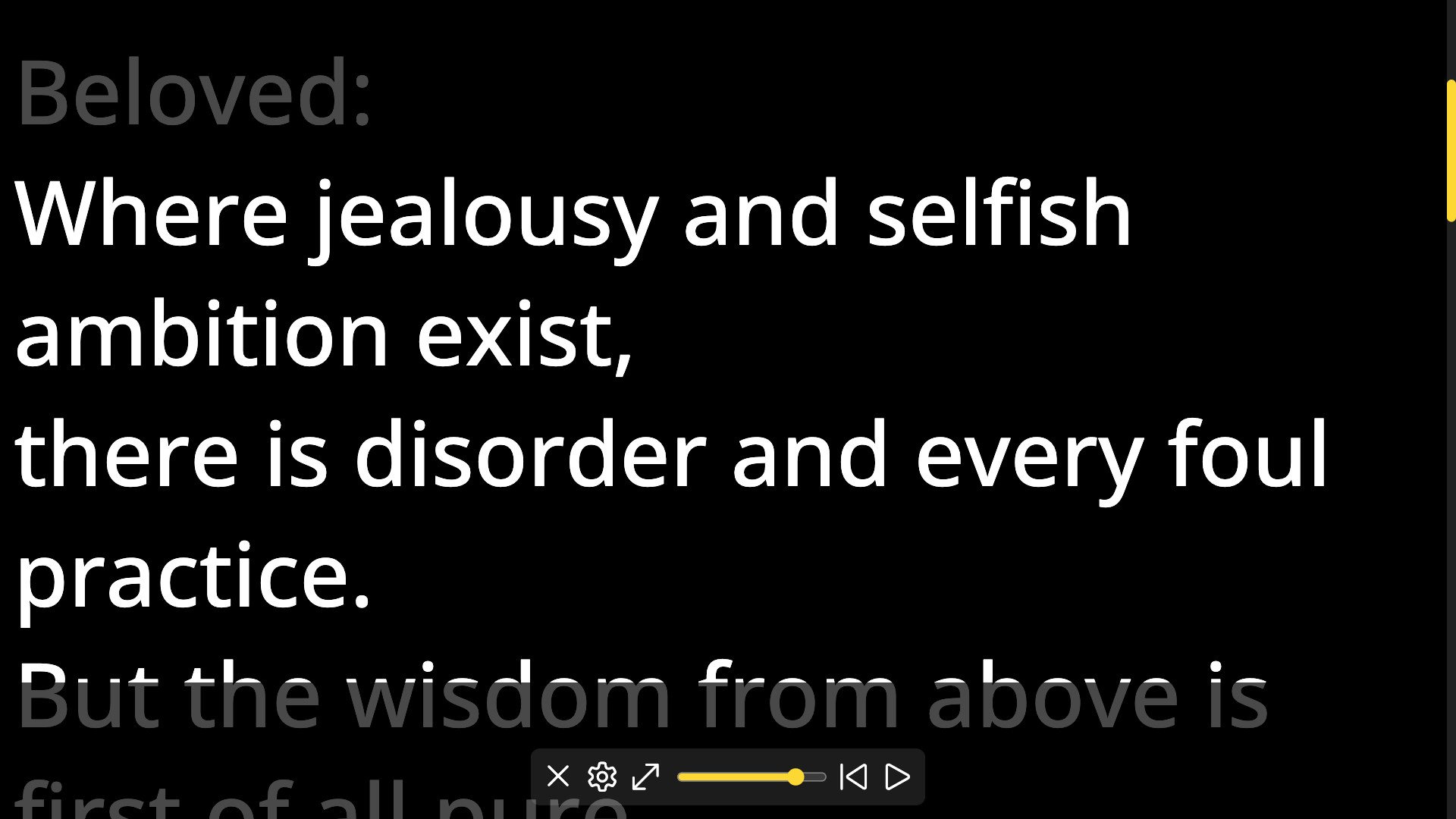
- User-Friendly Interface: The app features a clean, intuitive layout with clearly labeled controls and customizable text settings. Users can adjust font size, speed, and background color to suit their reading comfort and lighting conditions.
- Versatile Use Cases: Designed for speeches, video blogs, podcasts, and recorded tutorials, EZ Teleprompter adapts to various content formats. Its portability allows users to prepare and deliver content in diverse settings, from conference stages to home studios.
For example, a YouTuber can draft a script on their tablet, sync it to their phone, and use it during a recording session without needing to carry extra equipment. Similarly, a presenter preparing for a conference can rehearse their talk using the app’s adjustable scroll speed, ensuring a natural speaking rhythm. These features collectively enhance workflow efficiency and reduce the friction between content creation and delivery.
Interface, UX & Performance
EZ Teleprompter presents a minimalist interface focused on readability and control. The main screen displays the script in a large, centered font with smooth scrolling, allowing users to maintain eye contact with the camera or audience. Navigation is straightforward, with on-screen buttons for starting, pausing, and adjusting scroll speed. The app supports customizable text color and background, which improves visibility in different lighting environments. Users can also adjust the scroll speed to match their speaking pace, a feature that contributes to a more natural delivery. Although the developer did not list formal performance metrics, the app’s lightweight design—27M in size—suggests efficient resource usage. It is likely optimized for smooth operation across a range of Android devices, including mid-tier and budget smartphones. Responsiveness appears to be consistent, as the app handles script transitions and real-time adjustments without noticeable lag. Stability is expected to be strong, given the absence of reported issues in the official release notes. The app’s reliance on cloud sync implies a backend infrastructure that supports reliable data transfer, though specific details were not disclosed. Overall, the user experience is tailored toward minimizing distractions and maximizing focus on the spoken message, aligning with its role as a presentation tool.
Platform Compatibility & Technical Requirements
EZ Teleprompter is available exclusively on the Android platform. The current version is 2.2.3, with a file size of 27M, indicating a lightweight installation that does not strain device storage. The app is designed for modern Android devices, though specific OS version requirements were not listed. The developer did not specify minimum hardware specifications or compatibility with older Android versions. As such, users should verify device compatibility through their app store before downloading. The app’s reliance on cloud syncing suggests it requires an active internet connection for full functionality, particularly when accessing or updating scripts across devices. While no information was provided about battery usage or background performance, the app’s small footprint and focused purpose suggest it operates efficiently without excessive power consumption. Users are advised to ensure their device supports the latest Android updates to maintain optimal performance and security. The app’s release date of November 8, 2024, indicates it is a recent addition to the Android productivity space, reflecting ongoing development and support from Ape Apps.
Pros and Cons
Pros
- Eliminates the need for external teleprompting hardware, reducing costs and setup time.
- Supports script creation and import, offering flexibility for both new and existing content.
- Cloud syncing enables seamless access across multiple devices, ideal for mobile professionals.
- Intuitive interface designed for users of all technical skill levels.
- Lightweight file size (27M) ensures quick installation and minimal storage impact.
Cons
- Exclusive availability on Android limits access for iOS users.
- Specific OS version requirements were not disclosed, which may affect compatibility.
- Cloud sync functionality requires an Ape Apps account, adding a layer of account management.
- Price point of $4.99 may be considered high for a single-purpose app by some users.
- Developer did not provide detailed performance or battery usage data.
FAQ
Is EZ Teleprompter available on iOS?
EZ Teleprompter is currently available only on the Android platform. There is no official iOS version released at this time.
Can I use EZ Teleprompter without an internet connection?
Yes, you can view and use locally stored scripts without an internet connection. However, cloud syncing features require an active connection to function.
How do I import a script into EZ Teleprompter?
You can import scripts by selecting the import option within the app and choosing a plain text file from your device’s storage.
Is my script data secure when using cloud sync?
The app uses an Ape Apps account for cloud synchronization. While specific security details were not provided, the developer has not reported any data breaches or vulnerabilities.
Does EZ Teleprompter support multiple languages?
The app supports text input in any language that can be rendered on Android devices. However, the developer did not specify built-in language-specific features or translation tools.
Final Thoughts
EZ Teleprompter stands out as a practical, no-frills solution for anyone needing a reliable teleprompting tool on Android. Its combination of script flexibility, cloud sync, and hardware-free operation makes it a compelling choice for content creators, speakers, and educators. While its $4.99 price may be a consideration for casual users, the app delivers tangible value through its ease of use and portability. The lightweight design and intuitive interface ensure a smooth experience across various devices. For those who frequently deliver spoken content and want to maintain a professional delivery without extra gear, EZ Teleprompter offers a smart, efficient alternative. Whether you're recording a video blog from your living room or presenting at a conference, this app helps you stay on track and confident. With its focus on simplicity and functionality, EZ Teleprompter proves that powerful tools don’t need to be complex. Download EZ Teleprompter now.


